
How to Protect Your Privacy on Dating Apps — A Complete Guide
A practical guide to protecting your personal information on dating apps. Learn what to share, what to hide, and how to keep your identity safe while dating online.
Dating apps ask you to share personal details with strangers, and that creates a genuine privacy tension. You need to reveal enough about yourself to attract real connections, but sharing too much too soon can expose you to identity theft, stalking, harassment, and social engineering. The good news is that protecting your privacy does not require paranoia or technical expertise. It requires a clear set of habits — things you share, things you withhold, and settings you configure before you start swiping. Most privacy risks on dating apps come from oversharing in predictable ways. Once you know what those patterns are, avoiding them becomes automatic. This guide covers the practical steps that make the biggest difference: account setup, profile content decisions, conversation boundaries, and the technical settings that most people never check but absolutely should.
Warning Signs to Watch For
⚠️ Your profile reveals your workplace or school
Listing your specific employer or university makes you findable with a single Google search. Someone with your first name, photo, and workplace can locate your LinkedIn, social media, and sometimes your home address within minutes. Use a general description instead — say you work in marketing or healthcare rather than naming the company. The same applies to universities. If your school is listed, someone can narrow your identity very quickly.
⚠️ Your photos contain identifiable locations
Photos taken in front of your apartment building, at your regular coffee shop, or near a street sign that identifies your neighborhood give away more location data than you realize. Before uploading, scan each photo for background details that reveal where you live, work, or spend time regularly. Strip EXIF data from photos before uploading — most phones embed GPS coordinates in photo metadata by default.
⚠️ Your username matches other platforms
If your dating app username is the same one you use on Instagram, Twitter, Reddit, or gaming platforms, someone can cross-reference your profiles and build a detailed picture of your identity. Use a unique username for dating apps that does not appear anywhere else in your digital footprint. This single habit blocks the most common form of unwanted investigation.
⚠️ You share your phone number too early
A phone number is a gateway to your full identity. With just a number, someone can find your name through caller ID apps, locate your social media through contact syncing, and potentially determine your address through public records. Keep conversations on the app until you have established genuine trust through multiple interactions. When you do move off-app, consider using a secondary number through Google Voice or a similar service.
⚠️ Your linked social media is publicly visible
Some dating apps let you connect Instagram or Spotify. If your Instagram is public and contains photos with friends who tag locations, check-ins at your regular spots, or stories showing your daily routine, linking it to a dating profile hands that entire information set to every person who views your profile. Either make linked accounts private or do not link them at all.
⚠️ You use location-based features without caution
Features that show your distance from other users can be exploited through triangulation. If someone checks your distance from three different locations, they can narrow down your position with reasonable accuracy. Disable precise location sharing if your app allows it, or use a general location setting instead of GPS-based proximity. Some apps offer the option to hide your distance entirely.
How to Protect Yourself
💡 Create a dedicated email for dating apps
Use a separate email address that does not contain your real name for dating app registrations. This prevents your primary email from appearing in data breaches related to dating platforms, and it separates your dating activity from your professional and personal accounts. A simple free email address specifically for dating keeps your digital identities compartmentalized.
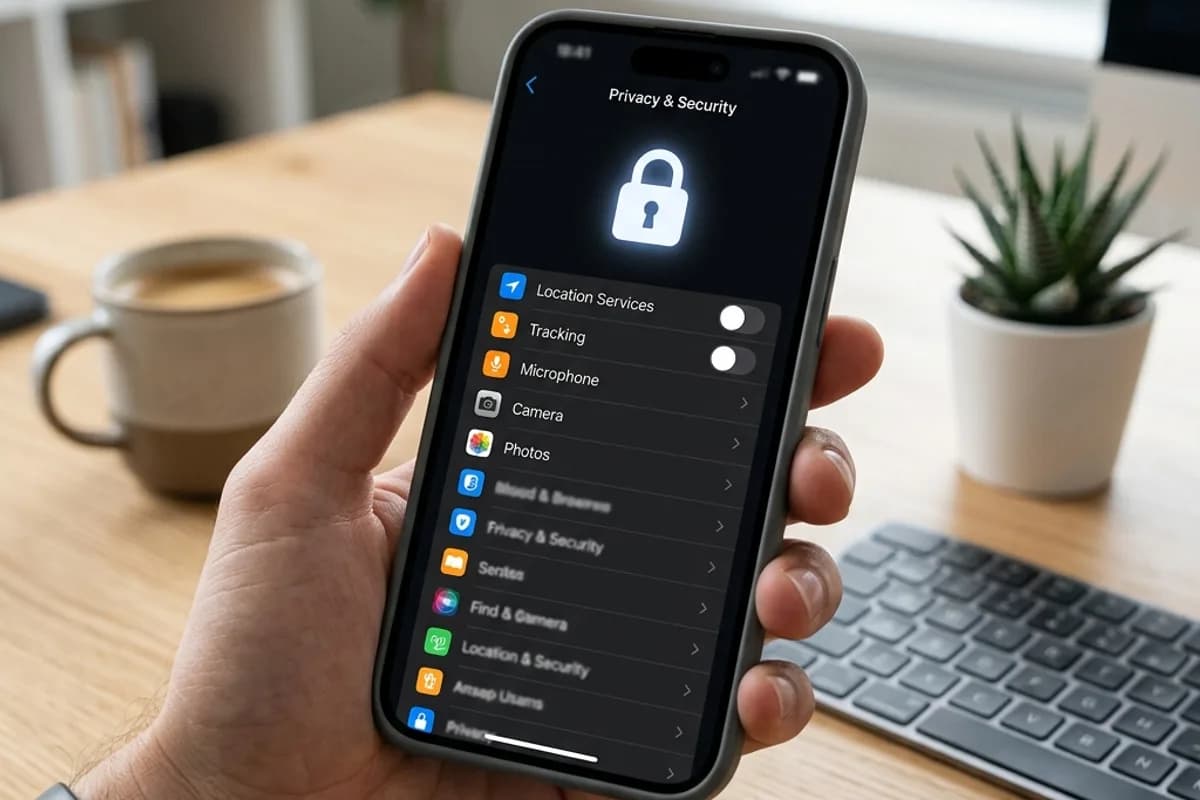
💡 Review app permissions on your phone
Dating apps often request access to your contacts, camera, location, and photos. Go into your phone settings and restrict permissions to only what is necessary. Location access should be set to only while using the app rather than always. Contact access should be denied unless you specifically need a feature that requires it. Most dating apps function perfectly with minimal permissions.
💡 Use a reverse image search on your own photos
Before uploading photos to a dating app, run them through a reverse image search to see where else they appear online. If your dating photos also appear on your public LinkedIn or Facebook, someone can match them instantly. Consider using photos that are unique to your dating profile — images that do not appear anywhere else on the internet.
💡 Delay sharing personal details until trust is established
Your last name, home neighborhood, daily routine, and workplace schedule are all information that should be earned through demonstrated trustworthiness, not given away in early conversation. A reasonable person will understand this boundary. Someone who pressures you for personal details before you are comfortable is showing you something important about their respect for boundaries.
💡 Enable two-factor authentication on your dating accounts
If someone gains access to your dating account, they can see your messages, matches, personal photos, and location data. Enable two-factor authentication on every dating app that offers it. This adds a layer of protection against unauthorized access, especially if your password is compromised in a data breach affecting another service.
💡 Periodically audit your profile for oversharing
Every few weeks, reread your profile and recent conversations as though you were a stranger trying to find out who you are. Can you determine the person's workplace? Their neighborhood? Their daily schedule? Their full name? If the answer to any of these is yes from the profile alone, edit accordingly. Privacy is not a one-time setup. It is an ongoing practice.
Frequently Asked Questions
Related Guides
Online Dating Safety
Explore related guides and tools to help you navigate this topic.
Get weekly bio ideas, openers, and dating templates
Join thousands of people improving their dating game with free weekly tips. No spam, unsubscribe anytime.
No spam. Free tips only. Unsubscribe anytime.
By subscribing, you agree to our Privacy Policy.
Use our safety tools
Check profiles and conversations for red flags with our free AI-powered safety tools.